TechTalk Videos
- - February 02, 2025
Sylgard is a 2-part silicone elastomer with a very low dielectric constant, which makes it ideal for patch clamping and many other lab applications, especially in electrophysiology. The twin pack is a convenient, single use sleeve containing both parts of the adhesive. We will show you how to properly mix the Sylgard Twin Pack.
- - February 22, 2024
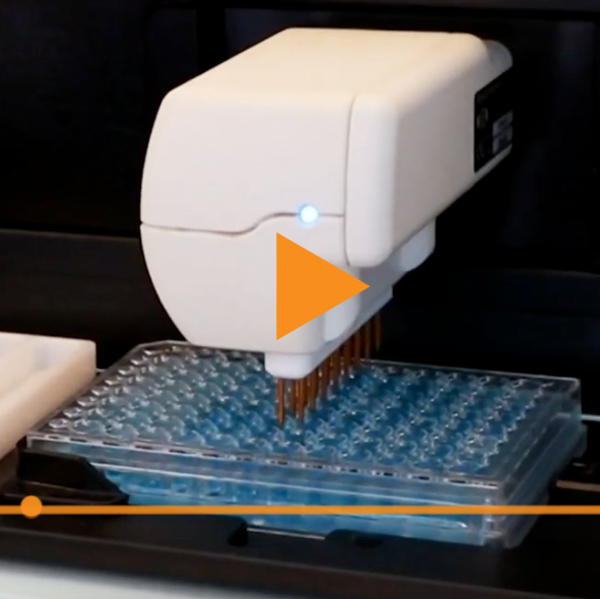
EVOM™ Auto, with both 24 and 96 HTS multiwell plate capability, is a high throughput screening (HTS) platform offering fast, noninvasive sample scanning by comparing electrical resistance measurements (transepithelial/transendothelial electrical resistance: TEER). TEER measurement experiments are simple to set up and less time consuming than more complex molecular studies. TEER measurement can be used as the primary scanning method to identify any physiological changes that can then be further evaluated by other methods. EVOM™ Auto can capture TEER measurements in 24 and 96 HTS multiwell plates from Corning, Millipore, or MatTek. The sample preparation time in these HTS plates is efficient, allowing for fast, multi-channel pipetting options.
The EVOM™ Auto autosampler ships with a red electrode array lock in place to prevent the electrode array connection port from moving during transit. Here you can see how to easily remove it without damaging the lock or the autosampler.
- - May 25, 2023
If the EVOM™ Auto software switches from Resistance to TEER mode while you are selecting menu options, here's a quick tip:
Be careful when selecting Resistance mode, do not tap the background window and do not click on the side arrows.
Tapping the background window will switch you to TEER mode.
Instead, tap an option on the forefront square window to stay in Resistance mode.
- - March 31, 2023
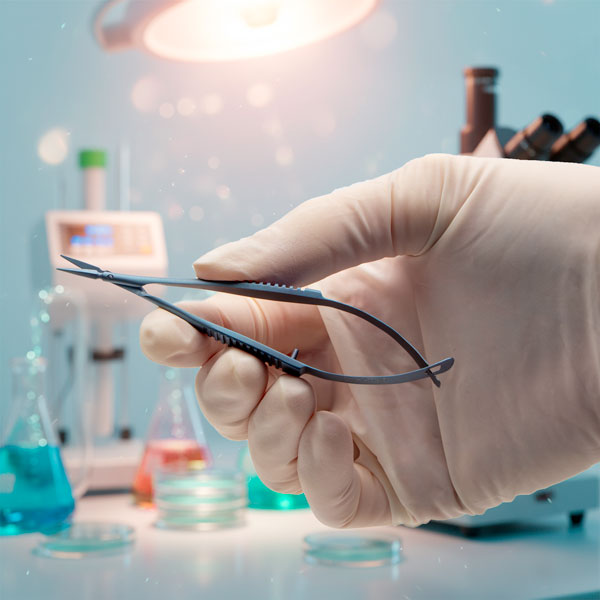
On the new WPI website, multiple related products may be grouped together to make them easier to compare.
The price range of all the options is shown at the top left corner of the product page.
To make a selection easier, a grid in the Details area (below the images) lists the details of all the products listed on the page, including the order code.
Click Choose an Option to select the model you want. If the option price deviates from the default selection, you see the additional cost listed next to the option. In this example in the video, the curved scissors cost $4 more than the straight, and the German steel scissors cost $43 more.
When you select your option, the price of your selection shows at the top of the screen.
Select the quantity you need and click the Add to Cart button. The shopping cart reflects the price of your option.
If you have any questions, give us a call at (866) 606-1974.At WPI we aim to be your Early Drug Discovery Partner of Choice.
- - March 27, 2023
WPI’s new web is now live, and we want to help you get started.
WPI is required to collect taxes in most states. If you are tax-exempt and operate in one of those states, you need to submit proper documentation before we can process your orders without tax. To apply for tax-exempt status:- Create an account by clicking on the account icon in the upper right corner of the screen and following the prompts. Navigate to the Tax Exempt Application at /tax-exempt-application. Enter your contact information and upload your current Sales Tax Certificate.
- Our customer service team will verify your tax status and let you know when your tax-free account is ready. This takes less than one business day.
- Then, you can place orders online, and we will not collect taxes.
If you need to expedite the process, give us a call toll-free at (866) 606-1974 or email us at customerservice@wpiinc.com.
We aim to be your Early Drug Discovery Partner of Choice.
- - March 17, 2023
WPI's new website lets you easily access the information you need.
Product Information
For product specific information:
- Navigate to the product page.
- Select the Related Posts tab to view all the articles related to your product.
- Select the Resources tab. Located here are all the documents, software downloads and videos related to your product.
Product Manuals/Documents
To access all the WPI product manuals, select Manuals from the Support menu.
Safety Data Sheets (SDS) and all software downloads are also available from the Support menu.
Library
Click on the Knowledge Center menu to access the library where you can find links to:
Direct links to the Manuals, Safety Data Sheets, Software Downloads and FAQs are also available directly from theSupport menu.
Distributors
If you are looking for distributor information, select Distributors from the Company menu.
Miscellaneous Links
Links to policies...more
- - August 05, 2022
The ATC2000 is a low noise heating system for maintaining animal body temperature during expirimental procedures. Here we show you how to use the adaptive mode on the ATC2000 system.
- Press the Config button to access the configuration menu. Press the Config button again until the adaptive mode Enable displays.
NOTE: If the temperature source is set to heater plate, then the adaptive mode cannot be enabled.
2. Press the Up or Down button to enable or disable adaptive mode.
3. Press the Display button to save the new parameters or press the Config button to toggle through the rest of the parameters.
Once the adaptive mode is enabled, Adaptive appears as the mode on the main display window. If you press the Display button again, the alternate temperature displays along with a timer that counts up from the last sampled time. In this case, the temperature was sampled 5 minutes and 42 seconds ago. If the interval is set to 10 minutes, the temperature will be sampled again in...more
- - July 19, 2022
EVOM™ Manual is WPI's newest instrument to measure Trans Epithelial Electrical Resistance (TEER). Let's look at what comes with the system and how easy it is to setup.
- - July 13, 2022
EVOM™ Manual is WPI’s newest instrument to measure Trans Epithelial Electrical Resistance (TEER). Let’s look at how to set it up and take voltage measurements.
- Power on the EVOM™ Manual using the power switch on the rear panel.
- Insert the USB flash drive provided with the system into the USB port on the side of the meter.
- By default, the filename is plate1. You may choose a prefix that auto-indexes or a unique file name:
- Press and hold the Store button on the main screen for 2 seconds or press Store Screen on the Setup menu to configure your stored data files.
- To use a prefix and auto-indexing, activate the Auto Index radio button. Auto indexing sets the name to a numeric sequence with the name, a prefix and a sequential number (name_prefixN). Then, press Store Prefix to enter a file name. Or, to use a unique file name, deactivate the Auto Index radio button. Then, select File Name to enter a new name.
- Press Clear.
- Use the keypad to enter a new name.
- Press Enter.
- Press Setup to access...more
- - July 12, 2022
WPI’s EVOM™ technology is the gold standard for delivering stable and repeatable Trans Epithelial Electrical Resistance (TEER) measurements. Here are nine reasons to trust the new EVOM Manual TEER Meter for qualitatively measuring cell monolayer health and quantitatively measuring cell confluence.
- - July 11, 2022
EVOM™ Manual is WPI’s newest instrument to measure Trans Epithelial Electrical Resistance (TEER). Let’s look at how to set it up and take resistance measurements.
Power on the EVOM™ Manual using the power switch on the rear panel.
Insert the USB flash drive provided with the system into the USB port on the side of the meter.
By default, the filename is plate1. You may choose a prefix that auto-indexes or a unique file name:
- Press and hold the Store button on the main screen for 2 seconds or press Store Screen on the Setup menu to configure your stored data files.
- To use a prefix and auto-indexing, activate the Auto Index radio button. Auto indexing sets the name to a numeric sequence with the name, a prefix and a sequential number (name_prefixN). Then, press Store Prefix to enter a file name. Or, to use a unique file name, deactivate the Auto Index radio button. Then, select File Name to enter a new name.
- Clear.
- Use the keypad to enter a new name.
- Press Enter.
Press Setup to access...more
- - May 23, 2022
WPI’s EVOM™ Manual is the gold standard for delivering stable and repeatable Trans Epithelial Electrical Resistance (TEER) measurements. The EVOM™ Manual is the newest TEER meter. It qualitatively measures cell monolayer health and quantitatively measures cell confluence by determining an increase or a plateau in tissue resistance detected using our innovative EVOM™ technology. WPI’s state of the art EVOM™ technology provides you with real-time, valuable feedback during experimental measurements.
- - May 19, 2022
The new STX4 electrode works with the EVOM3, and the blades are replaceable. EVOM3 is used for making TEER (TER) Measurements in cell culture plates. Here's a quick tutorial to show you how to replace the blades.
- - May 05, 2022
The ATC2000 is a low noise heating system for maintaining animal body temperature during experimental procedures. It has three modes of operation, which we discuss here.
Normal mode compares the temperature and the setpoint for PID control. Adaptive mode is ingenious. It uses the monitored animal temperature and the actual plate temperature to define an offset value which is used to adjust the PID parameters. That offset is recalculated at a set interval for extremely precise control. Shutdown mode is a fail safe that shuts the unit down if the plate temperature reaches a defined setpoint (like 45ºC) that would endanger the animal.
The instrument has three modes of operation:
- Normal
- Adaptive
- Shutdown
Normal Mode
The normal mode compares the temperature of the configured sensor (RTD or TC) with the set point to control the heater.
Adaptive Mode
In the adaptive mode, the sensor in the heated plate is used as the control trigger for the set point. A platinum sensor in the plate monitors...more

Recent Posts