Page 24 - Blog
- - May 09, 2021
by Carmen Raymond
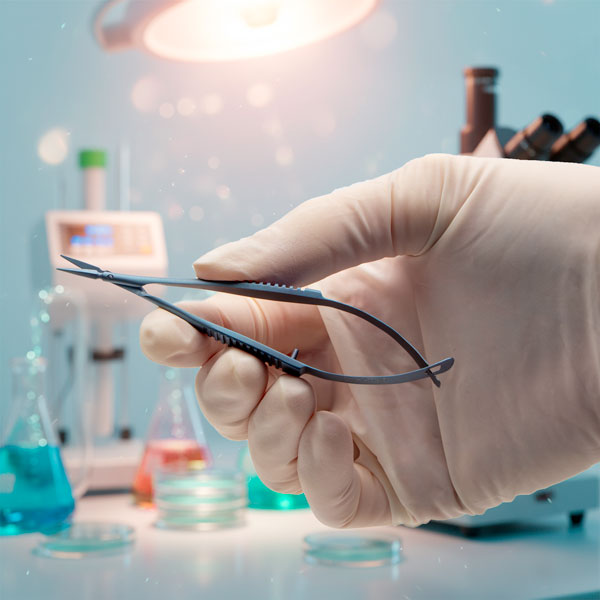
Stainless steel sterilization baskets require a proper finish to increase the basket's versatility. The correct finish of stainless steel enhances it chemical resistance, handling characteristics and other key operational features. Let's take a look at the two most common finishes for stainless steel.
Passivation
Passivation is a corrosion-prevention treatment of stainless steel. This chemical process involves removing free iron from the metal's surface with citric acid or nitric acid. The process of passivation creates a thick protective oxide coating on the stainless steel, which makes it resistant to corrosive chemicals.
The process of passivation cleans the stainless steel surface, removing all grease, oils and dirt. This results in a uniform, smooth appearance and finish.
A smooth passivation finish minimizes the chance of rust damage of your sterilization basket, surgical instrument or stainless steel product. It also eliminates extra maintenance steps to protect...more
- - April 26, 2021
The PUL-1000 is a microprocessor controlled, four-stage, horizontal puller for making glass micropipettes or microelectrodes. Here is how to run a program that will pull two identical microelectrodes.
Loading a Program
We will use the keypad to navigate through the display.
- Use the arrows to navigate to LOAD (00). The top and bottom arrows on the keypad navigate numbers in increments of 1. The left and right arrows on the keypad navigate numbers in increments of 10. Press ENTER. The number will start blinking.
- Use the arrows to navigate to the program number you would like load. Once you reach the desired program, press ENTER to run the program and pull your glass.
Creating a New Program
- Use the arrows to navigate to STEP 1 - HEAT. Press ENTER. The number will start blinking.
- Use the arrows to set the desired value for the heat. Press ENTER.
- Navigate to STEP 1 – FORCE. Press ENTER. The number will start blinking.
- Use the arrows to set the desired value of force. Press ENTER.
- Navigate...more
- - April 22, 2021
Let’s look at a Peri-Star Pro peristaltic pump, which is available in four models for high and low flow rate, and 2, 4 and 8 channels. Here’s a quick introduction to the pump.
Control Keypad
Setup and operation are controlled with a Control Knob and three membrane keys. Pressing a membrane key once activates the key function.
- The Run/Stop button switches the pump on or off. If the pump is running, pressing this key immediately stops pump. If the pump is off, pressing the key turns it on.
- The Rotation Direction button sets the rotor direction clockwise or counterclockwise. The direction is shown on LCD display.
- The Full Speed button runs the pump at maximum flow rate. This is convenient to use when evacuating or cleaning the system.
Control Knob
The Control Knob provides two functions by rotating or pressing. Rotate the knob clockwise to increase the pump’s flow rate or counterclockwise to decrease the pump’s flow rate. Slow rotation makes a small change in the flow rate. Fast rotation...more
- - April 22, 2021
The Peri-Star Pro is a popular peristaltic pump. Here we see how to calibrate the pump so that the display shows the dispensed volume accurately.
In addition to the traditional RPM control, Peri-Star Pro also allows control of pump output by setting a calibrated flow rate. Flow rate is affected by tubing ID, tubing material, and rotor speed. Peri-Star Pro stores the flow rate relation of silicone tubing and rotor speed so that you can easily switch between controls for flow rate or RPM (revolutions per minute). Calibration is required for high precision pumping or after changing to a different type of tubing.
One of the important and unique features of Peri-Star Pro is that the control of liquid flow can be expressed either as the rotation rate of the pump head (rotation per minute, or RPM) or directly as the flow rate in milliliters per minute (mL/min.) or milliliter per hour (mL/hr). This feature makes reporting and repeating the experiment much easier. In the flow rate mode, you only...more
- - April 22, 2021
The PUL-1000 is a microprocessor controlled, four-stage, horizontal puller for making glass micropipettes or microelectrodes. Here is a quick overview to get you started quickly.
Quick Start Setup
- Plug the power cord into the wall outlet. An LED light on the power supply illuminated when the unit is connected to power.
- Plug the power cord into the rear panel of the PUL-1000. Then, the power switch on the side panel illuminates.
- Press the Power button to turn on the display.
- To open the glass capillary clamps, place your thumb under the clamp and depress the release button with your index finger. This allows the carriages to move freely.
- Push the carriages together toward the center.
- Install the silicone glass capillary clamp pads matching the outer diameter (OD) of the glass capillary, by sliding them into the clamp pad spots on the clamps.
- Mount the glass capillary onto the carriage and secure it with the glass clamps.
- On the LCD display, choose the correct sequence. If you do not...more
- - April 21, 2021
The PUL-1000 is a microprocessor controlled, four-stage, horizontal puller for making glass micropipettes or microelectrodes. Here we will see how to load a piece of glass into the carriage.
The glass capillary is held by clamps mounted on two movable carriages. Both carriages synchronously slide as a program is executed.
- Manually slide the carriages together when you are loading the glass.
- To open the clamps, place your thumb under the clamp and depress the release button with your index finger.
- Slide the glass capillary into the groove from one side. Slide it through the center of heating filament onto the other side. If you want two equivalent length micropipettes, be sure to center the glass in the filament.
- Secure the glass capillary with the clamps.
That’s it. Now you’re ready to load a program. If you have any questions, just give us a call.
- - April 21, 2021
The PUL-1000 is a microprocessor controlled, four-stage, horizontal puller for making glass micropipettes or microelectrodes. Here are the resolutions for some common issues with the puller.
Puller Stops
If the puller stops in the middle of a pull and the unit beeps, one of two issues may be the culprit.
- The unit may be over heating. Allow the unit time to cool down before attempting to pull more glass.
- If a program fails in the middle of a pull, you may have exceeded the parameters of the unit. For example, when you add up the distance of travel for all the stages, you may have exceeded the maximum range of travel. Check your program. You may need to alter the heating or travel parameters to conform with the unit’s maximums.
Glass Doesn’t Pull Well
If the glass does not pull well, look at one of these possible causes.
- The parameter may not be set properly for the properties of the new glass. Run the Glass Softening Test to establish a new baseline heating parameter.
- The filament...more
- - April 21, 2021
The PUL-1000 is a microprocessor controlled, four-stage, horizontal puller for making glass micropipettes or microelectrodes. We will show you how to run a glass softening test.
You should run the Softening Test when:
- You change the filament
- Lot numbers or capillary types change
- You create or modify a program
- The ambient environment changes
- Press the STOP key to quit any running program. The following window displays.
- Mount a glass capillary on the carriage.
- Press the START key to run the Glass Capillary Softening Test. The heating power increases gradually. The heating stops when the glass begins to move.
- Record the heating power. This is the baseline heating value for the glass type tested. It is a good starting point for the first stage of your program.
If you have any questions, just give us a call.
- - April 19, 2021
by Benjamin Dubansky, PhD, Animal Physiologist/Researcher
The EVOM is a special kind of voltmeter for measuring electrical properties across a layer of cells in culture or a biological membrane. Here's a few things I like about the new EVOM3.
- - April 19, 2021
by Benjamin Dubansky, PhD, Animal Physiologist/Researcher
An Ussing Chamber is used when performing barrier studies across an excised epithelial tissue. Similar measurements can be made in well plates using an EVOM series TEER Measurement Meter, which is used for epithelial tissue that is grown to confluence in a cell culture well. While EVOM measurements are only qualitative, your throughput is much greater with an EVOM3. The EVOMs are portable and much more economical than an Ussing Chamber. Here Ben Dubansky, PhD explains the differences between EVOMs and Ussing chambers.

Recent Posts